Choose a library
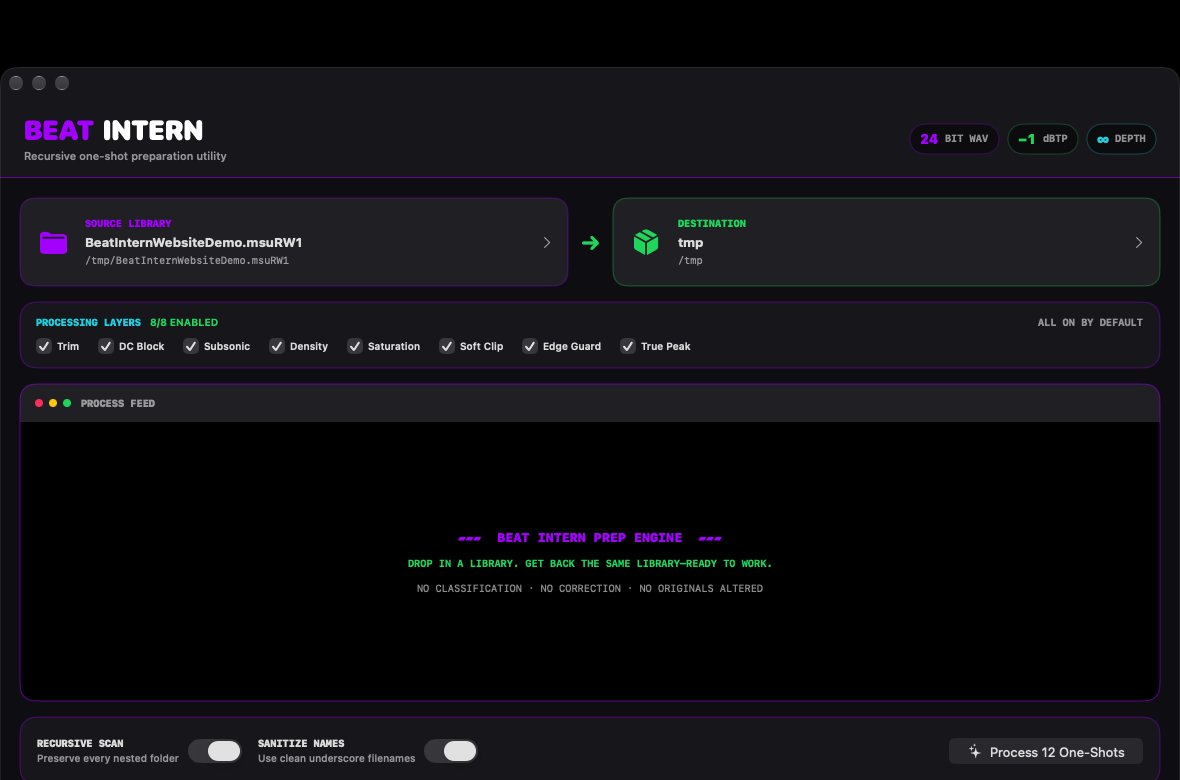
Point Beat Intern at one folder. Recursive Scan can carry the complete folder structure with it.
Available now for macOS
Drop in a folder of one-shots. Beat Intern trims, conditions, protects, and returns a mirrored 24-bit WAV library—without touching the originals.
Native macOS utility · Recursive folders · Any drag-and-drop DAW
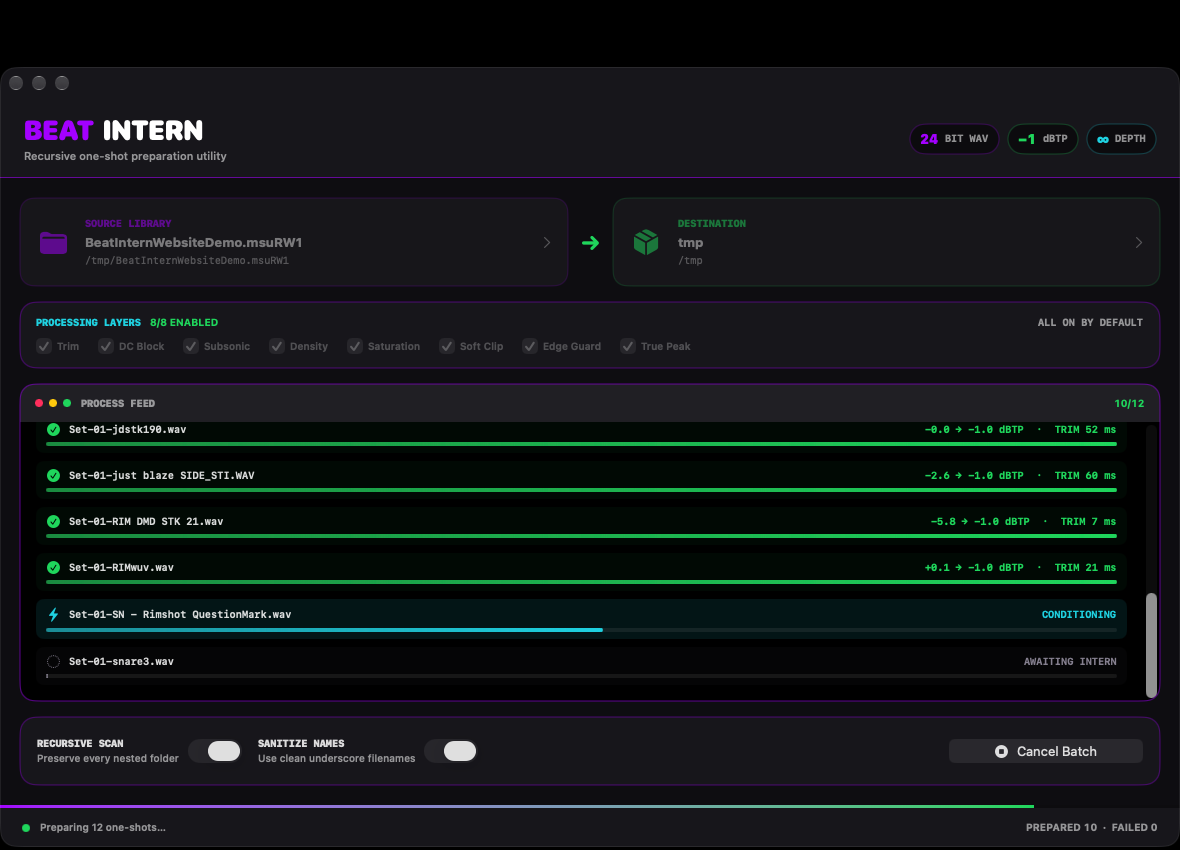
YOUR FOLDERS IN.
PREPARED WAVS OUT.
ORIGINALS UNTOUCHED.
Pre-production, handled
Sample preparation belongs at the start of a production workflow because every decision downstream depends on the material you begin with. Beat Intern handles the repetitive cleanup and level preparation first, so the sounds entering your sampler or DAW are consistent, protected, clearly named, and ready to audition—without spending the creative session repairing files one at a time.
The step professional workflows do not skip
Studios prepare source material before it reaches the sampler, timeline, or mix. They remove technical problems, control unpredictable peaks, protect headroom, standardize delivery, and organize files in advance.
Beat Intern brings that discipline to everyday producers by handling the repetitive preparation across an entire library. It bridges the gap between owning a folder of samples and having a production-ready sample library.
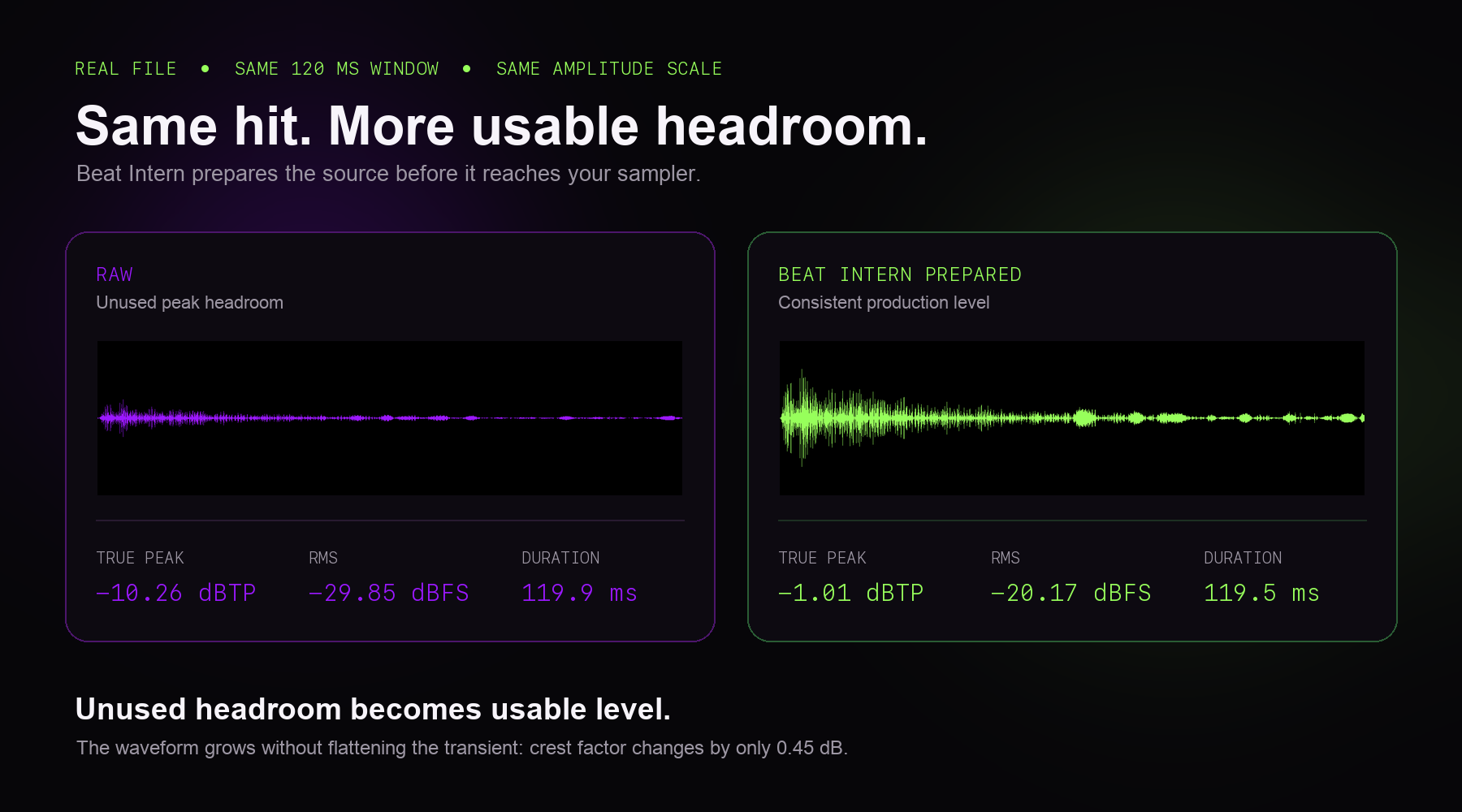
Prepared hits often feel more cohesive from the first pattern. Beat Intern does not force every sound to match; it reduces avoidable differences in silence, peak behavior, subsonic energy, density, and apparent level.
The character stays different. The technical behavior becomes more consistent.
The whole assignment
Beat Intern does the repetitive preparation producers usually postpone: silence trimming, DC and subsonic cleanup, density, saturation, soft clipping, boundary protection, and a −1 dBTP finish.
Point Beat Intern at one folder. Recursive Scan can carry the complete folder structure with it.
All eight processing layers begin on. Bypass only the stages you do not want.
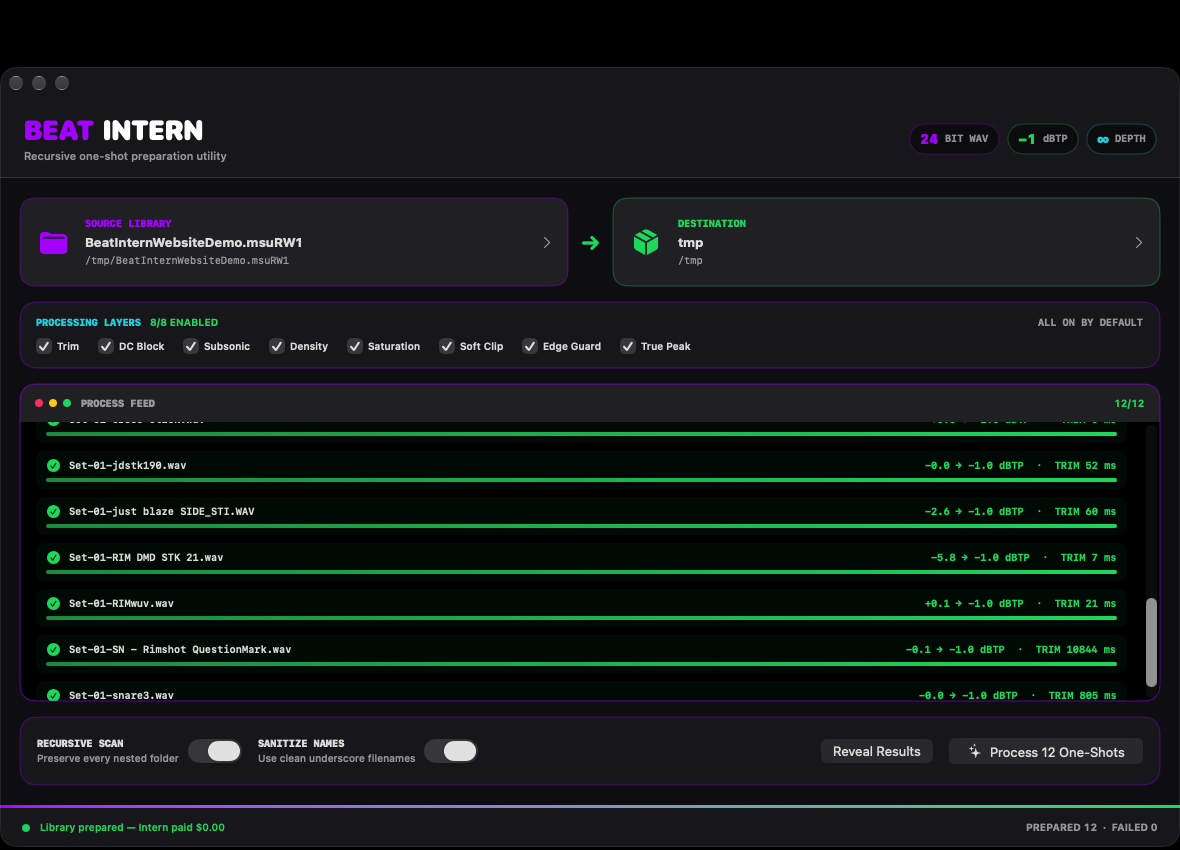
The Process Feed shows the filename, current stage, trim time, level movement, and failures as they happen.
Beat Intern returns clean 24-bit WAV copies in a mirrored folder tree. Your originals never change.
The app as it exists now
These are screenshots of the current macOS release processing a real twelve-file folder. The names, status bars, measurements, and result count come from the run itself.
Available now for macOS
Beat Intern is available on the Mac App Store.