
Feed it a loop
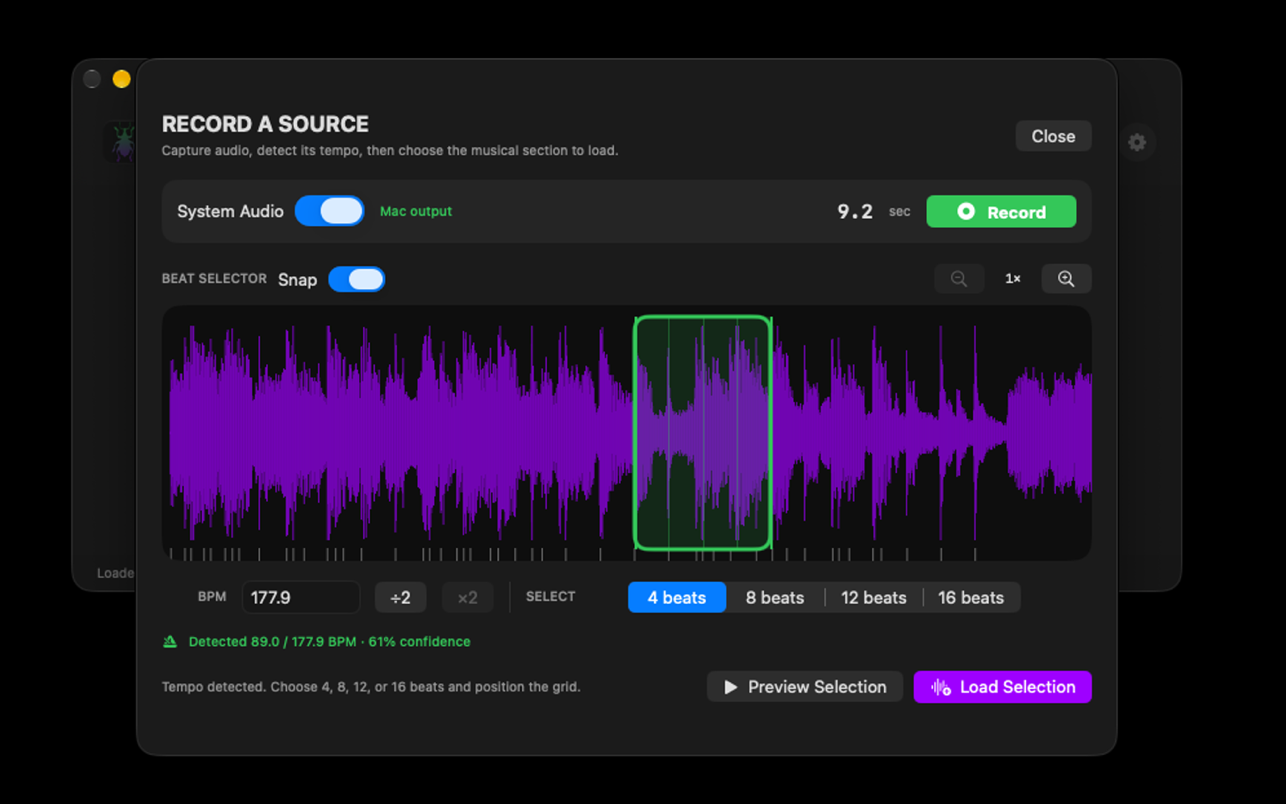
Drop in four beats—or let Weevil divide a longer idea into four-beat sections.
Now available on the Mac App Store
Weevil Beat Expander is an intelligent waveform chop and rearrange tool. Give it four beats. Get sixteen beats of controlled, evolving rhythm back.
Native macOS app · Works with any drag-and-drop DAW · MIDI not required
FOUR BEATS IN.
SIXTEEN OUT.
ENDLESS DIRECTIONS.
A smaller way to work
Weevil works in four-beat sections so every decision stays musical, fast, and easy to curate.
Drop in four beats—or let Weevil divide a longer idea into four-beat sections.
Weevil creates four rhythmically grounded variations you can audition together.
Select the section with the right energy, then bounce and regenerate from it.
Take the full sixteen beats or pull individual sections straight into your session.
The shipping app
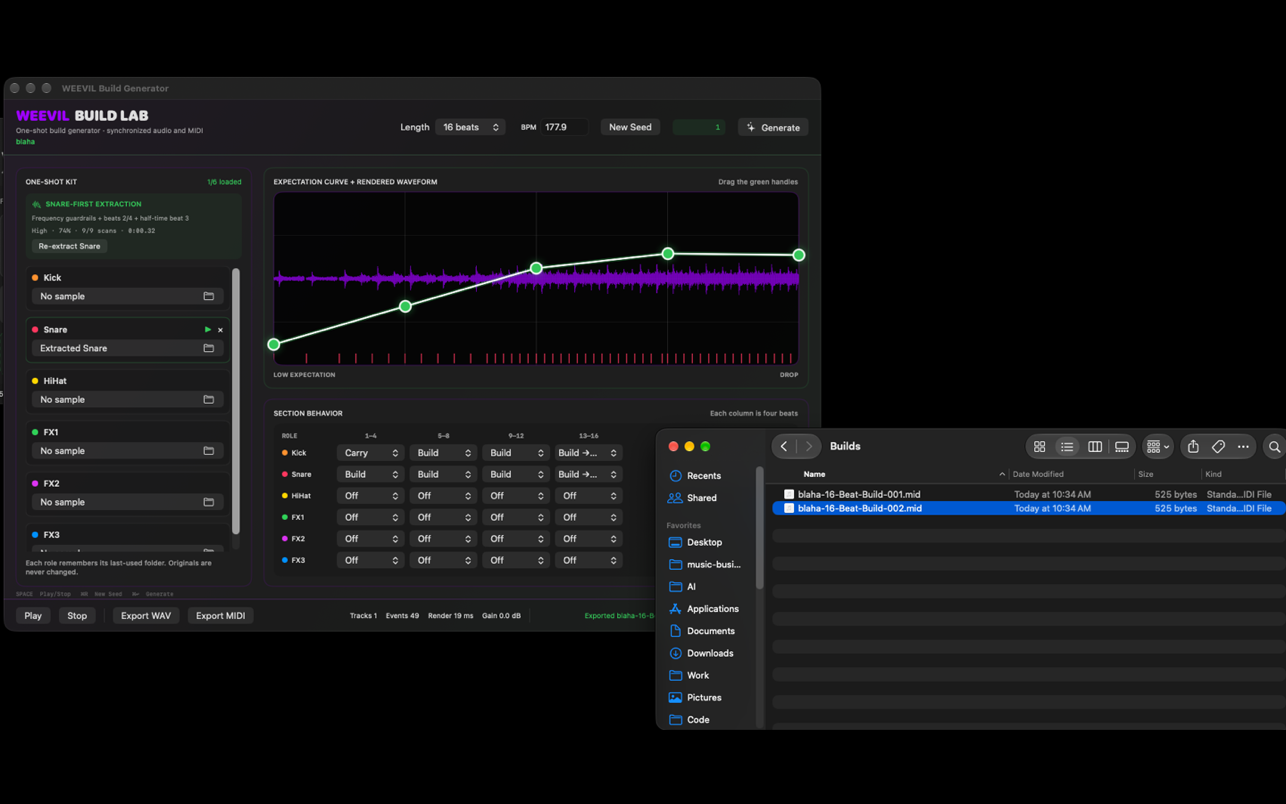
These are current screenshots of WEEVIL Beat Expander 1.0.1—capture, protect, generate, shape, and export without leaving the app.


Available now for macOS
WEEVIL Beat Expander is available worldwide on the Mac App Store.